Original price
$4,188.00 SGD
-
Original price
$4,188.00 SGD
Original price
$4,188.00 SGD
Current price
$3,988.00 SGD
$3,988.00 SGD
-
$3,988.00 SGD
Current price
$3,988.00 SGD
| /
Descriptions
Machine Dimensions:
Download(s)
Warranty:
Descriptions
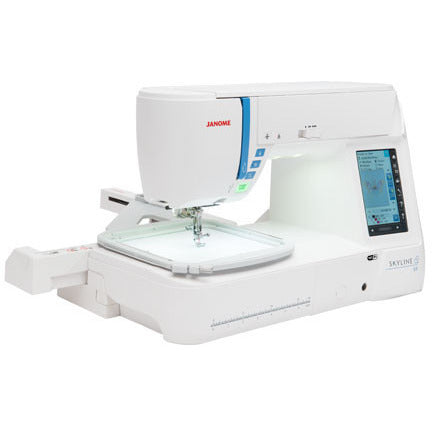
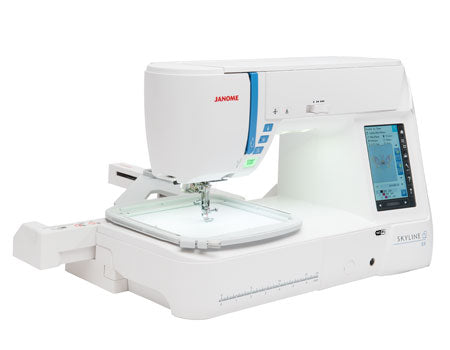
Janome Sewing Machine Skyline S9 High-End Sewing and Embroidery Machine
Product Highlight
Janome Skyline S9 High-end Sewing and Embroidery Machine Highlights
Easy & Fast converting from Sewing Function to Embroidery Mode
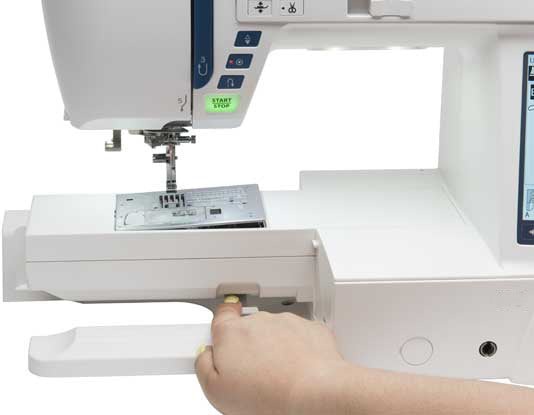
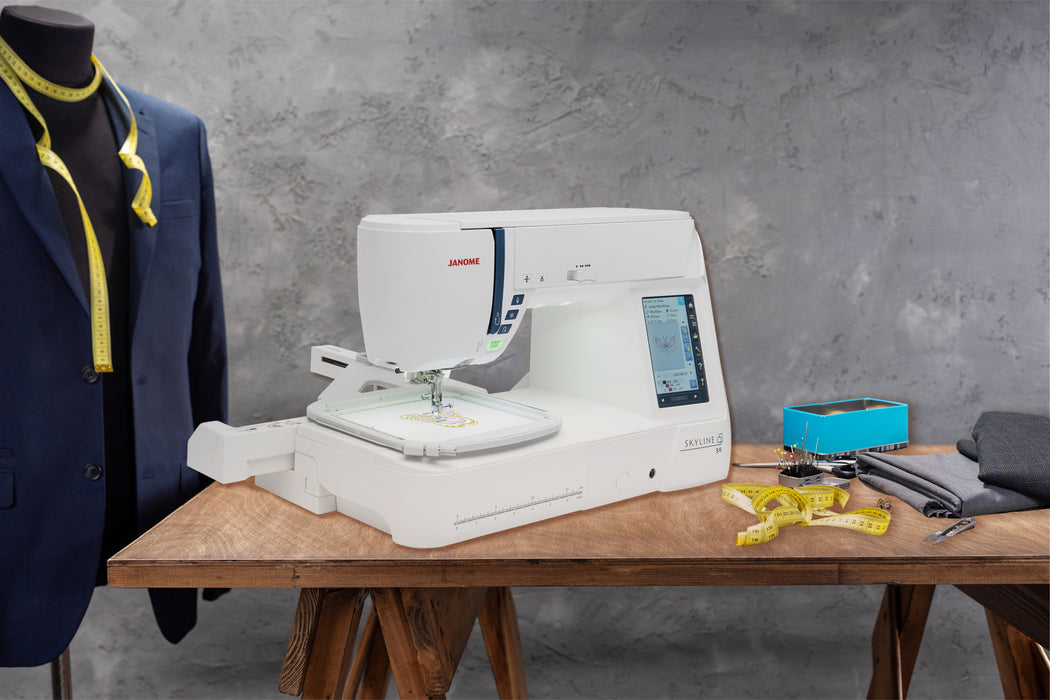
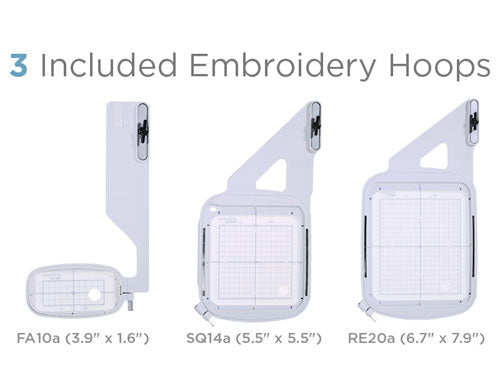
If you choose to use the embroidery function, it is first necessary to go into the menu and select the embroidery function then flip a switch on the back of the machine to engage the arm embroidery unit. After selecting one of the on board embroidery designs or a design of your own from your computer or flash drive, select the hoop which would best suit our purposes and simply place it on the extension arm and lock it into place.
Apps Included with Purchase:
AcuEdit App
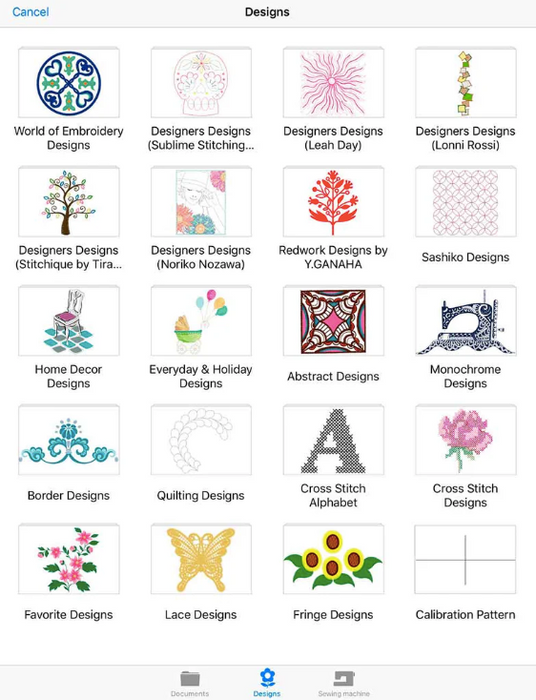
The AcuEdit app allows you to edit Janome embroidery designs on your iPad using Wi-Fi. You can edit designs anywhere, anytime! Embroidery designs can even be edited when your machine is sewing. Send the design data to your sewing machine and you are ready to go!
AcuEdit is compatible with the following sewing machine models:
Horizon Quilt Maker Memory Craft 15000
Horizon Memory Craft 15000 version 2.11 and earlier versions
SKYLINE S9
Link with Sewing Machine
You can send embroidery data from your iPad to your sewing machine. The machine can start sewing your new designs upon receiving the data.
AcuEdit can also receive embroidery designs from the Ready to Sew and Editing modes of your sewing machine.
This app is FREE and only available on the App Store for iOS devices
Additional Information
Features
– Move – Rotate – Enlarge/Reduce – Mirror image – Vertical flip – Centering – Cornering – Copy and paste – Arching (monogramming) – Space adjustment (monogramming) – Delete – Ability to change thread colors – Ability to change sewing order – Ability to Undo and Redo any change you make – Edit embroidery designs by using the controller on the screen. – Basic editing can also be made by moving two fingers across the screen. – iPad photos can be displayed as the background of the editing screen.
Import embroidery designs
– Select designs from your embroidery collection on your iPad. – You can use all built-in designs from compatible sewing machines. (to use the built-in designs from Memory Craft 15000, first connect to your sewing machine) (to use the built-in designs from SKYLINE S9 / atelier 9, it's necessary to download the data) – You can add monogramming designs by inputting them using the keypad. – iTunes enables import of embroidery designs from the internet or your PC to your iPad. – Embroidery designs can now be imported from email attachment files, online storage services and other apps.
Save embroidery designs
– Save embroidery designs on your iPad. – View and delete thumbnails of embroidery designs.
Compatible embroidery formats
– jef – jef+ – jpx
AcuMonitor App
The AcuMonitor app allows you to check the current status of embroidery work on your iOS device using Wi-Fi. You can check embroidery progress even if you are away from the machine. With AcuMonitor, you don’t need to sit by the machine anymore. While the machine is embroidering, you can go and do other things.
AcuMonitor is compatible with the following sewing machine models:
HORIZON Quilt Maker Memory Craft 15000
HORIZON Memory Craft 15000 V2 & V1
SKYLINE S9 version 1.10
Link with Sewing Machine
Check embroidery progress on your device.
Check machine status.
View a list of all thread colours for the design which is being embroidered.
The amount of time remaining until the next thread change can be checked.
This app is FREE and only available on the App Store for iOS devices. Designed for iPad and iPhone. “This technology is patented in the USA, Japan, Europe and China.”
Additional Information
Status check
The status of the following items is displayed with messages and icons: – Embroidering – Cutting – Ready to sew – Changing thread – Changing needle – Stopped – Complete – Thread breakage – Locked – No connection – Sleep mode
Other features
– A function which displays the needle drop point making it easier to check the current sewing position. – A magnifying function that enables even large designs to be checked in minute detail. – In the demonstration mode, the app's planned operations can be checked even when not connected to your sewing machine.
AcuSketch App
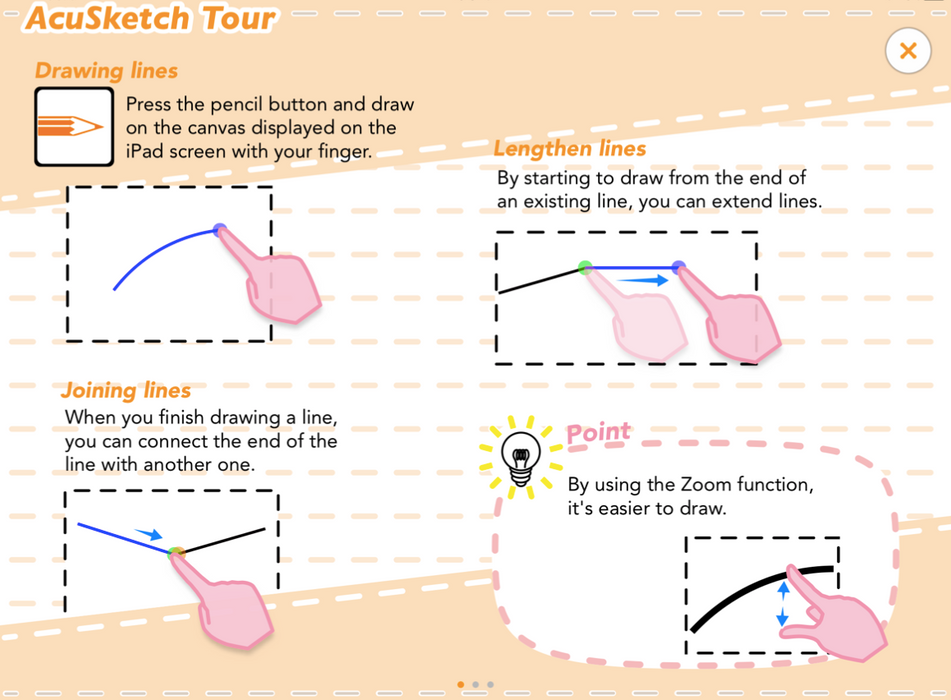
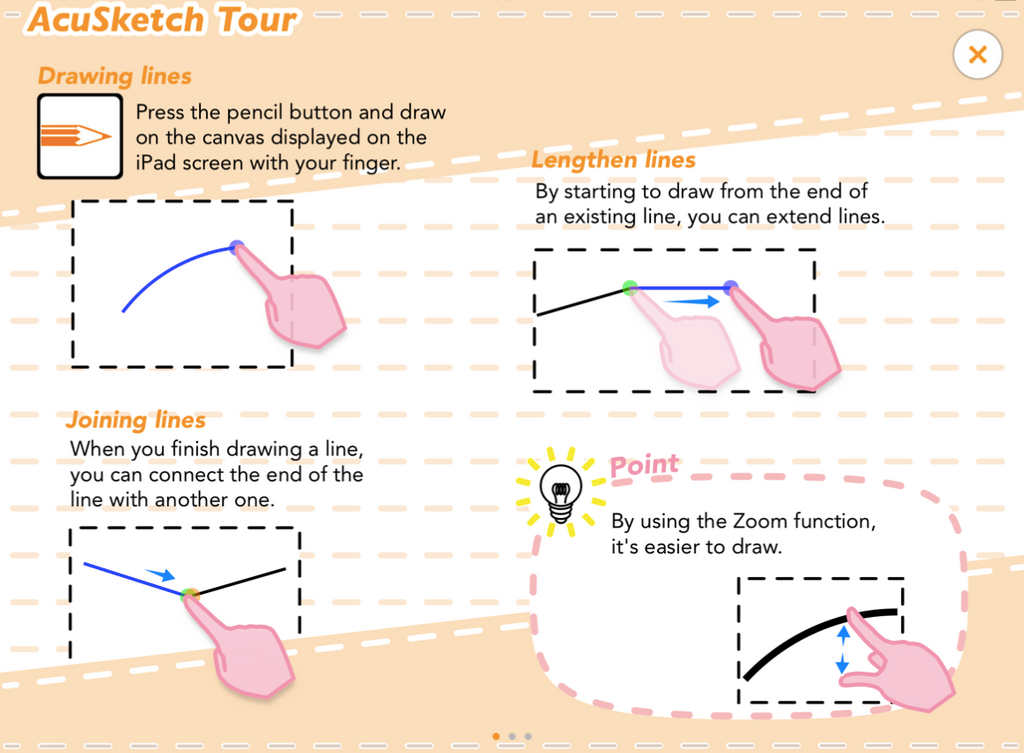
The AcuSketch app allows you to create embroidery designs for quilts or patchwork quilts by tracing on the canvas displayed on the iPad screen with your finger or a stylus. As the lines drawn with your fingers become lines of stitches, you can create free-motion-quilting-like designs. You can sew the embroidery designs that you have created with Wi-Fi capable JANOME sewing machines.
AcuSketch is compatible with the following sewing machine models:
Memory Craft 15000 version 2.11
HORIZON Quilt Maker Memory Craft 15000
SKYLINE S9 version 1.10
Link with Sewing Machine
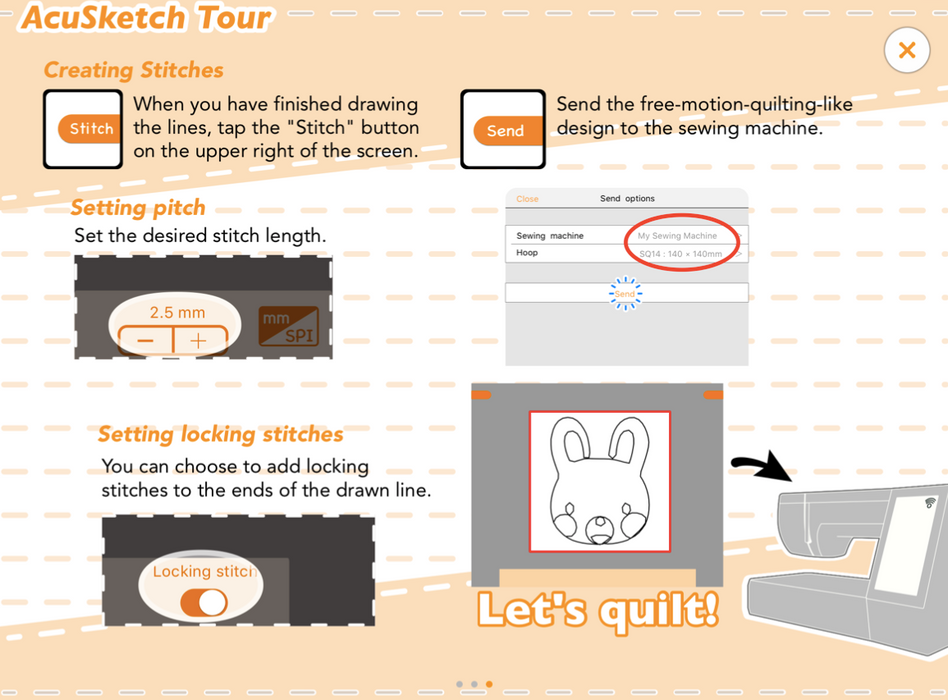
You can convert the lines you have drawn to stitch data, and send the data from your iPad to your sewing machine. The machine can start sewing upon receiving the stitch data.
This app is FREE and only available on the App Store for iOS devices “This technology is patented in the USA.”
– You can make quilting patterns to fill space between other patterns and designs. – If you're not used to free-motion quilting, it's difficult to make things but by creating work as embroidery designs, it becomes easy. – As the lines drawn with your finger or a stylus become stitches, even people who are not good with computers or digitizing software can create designs and make embroidery data. – Simple to use and fun.
Stitches
– Free-motion-like stitches – You can choose whether to add Locking stitches. – You can adjust the length of the stitches. – The stitches are sewn in order of drawing.
Other Features
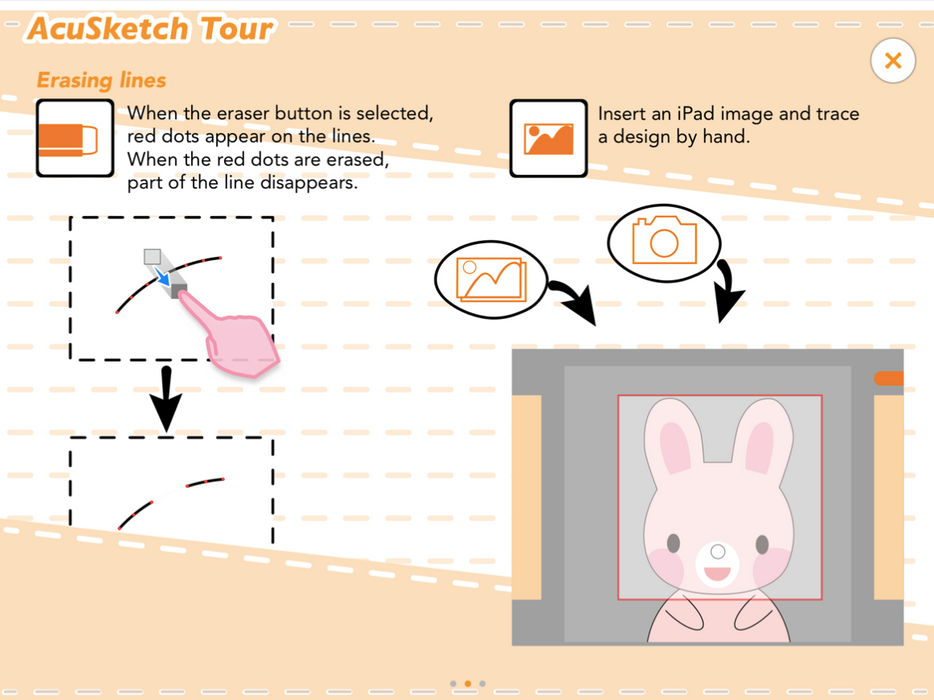
– By starting to draw from the end of an existing line, you can extend lines. – When you finish drawing a line, you can connect the end of the line with another one. – There is also a function to insert images for tracing.
Conditions
– The iPad is connected to Wi-Fi – The sewing machine is connected to the same wireless LAN access point as the iPad
Product Key Features
Janome Skyline S9 High-End Sewing and Embroidery Machine Features
This great machine includes Wi-Fi capability that makes it easy to send embroidery designs from an iPad or computer straight to the machine. In addition, the Skyline S9 includes three iPad apps: AcuEdit, AcuMonitor and AcuSetter to make your sewing and embroidery time more efficient.
Enjoy choosing up to 250 embroidery designs, including 40 exclusive designs by Anna Maria Horner along with 300 stitches. With a maximum embroidery size of 6.7" x 7.9" (17cm x 20cm) and sewing speeds of 1000 SPM, the Skyline S9 provides a full suite of powerful capabilities to ensure all projects are beautiful, yet easily executed. Navigating through these great features is easy with the Skyline S9's LCD color touchscreen.
Sewing Function Key Features for Janome Skyline S9
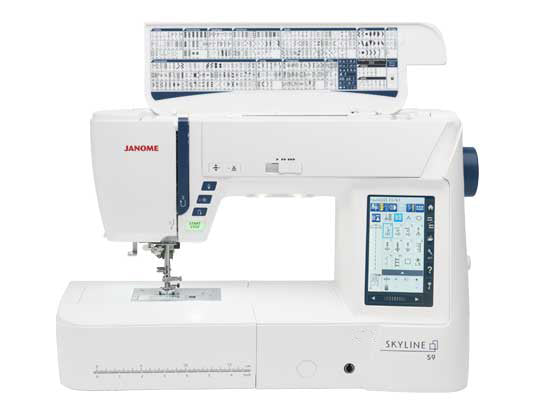
Built-in Stitches for Janome Skyline S9 Built-in 300 built-in stitches including 3 alphabet fonts and 11 one-step buttonholes are just located at inside the top lid. Once you opened the machine, it is shown every patterns for your fast selection.
Free Arm Sewing for Janome Skyline S9
Embroidery Function Key Features for Janome Skyline S9
250 built-in embroidery designs including 40 exclusive designs by Anna Maria Horner
20 fonts for monogramming
Maximum embroidery size: 6.7" x 7.9" (17cm x 20cm)
Free arm embroidery
Design transfer via Wi-Fi, USB and direct PC connection
Sewing speed up to 1,000 SPM
On-screen editing functions include enlarge reduce, rotate, turnover, drag and drop, re-edit, zoom, arc, combine
Programmable jump thread trimming
Adjustable speed while embroidering
Flexible stitch traveling by 1, 10, 100 and 500 stitches
Auto return post thread break
Adjustable hoop position even after starting embroidery
Box Dimensions of Janome Skyline S9: 66cm (Length) X 39cm (Width) X 46cm (Height) *Accessories content might vary and manufacturers reserve the right to change the content and/or accessories with similar value without prior notice. Please check the product manual for the detailed list of included accessories.
One-Year BanSoon Care Package Includes one year of free servicing (excluding spare parts) and complimentary one-to-one learning sessions for up to one year.
- Polish code: keep everything there, especially download files.